
Documents
Upload and manage knowledge base documents
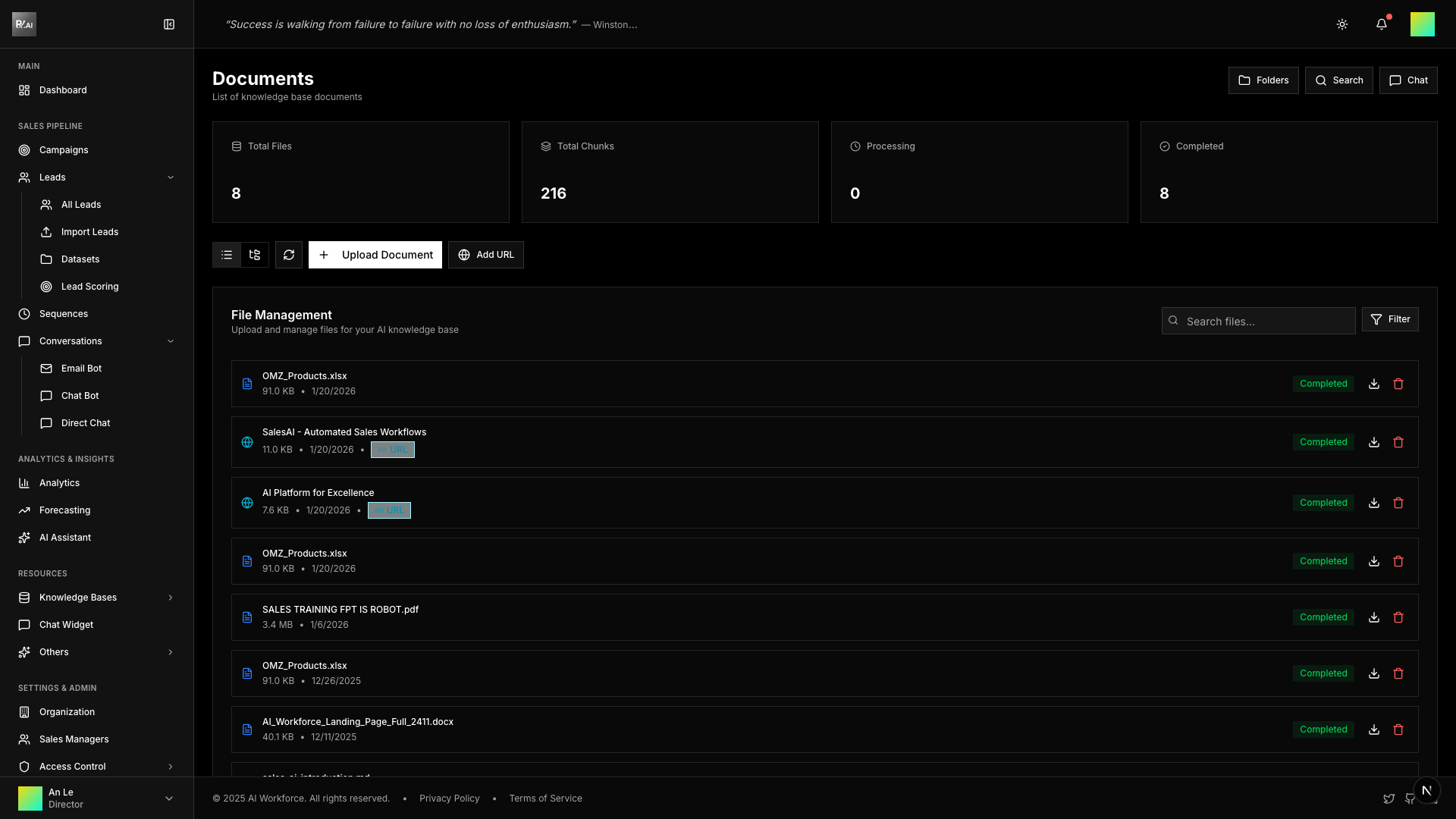
Documents are files or web pages that contain information your AI Agents use when writing emails.
Supported Formats
| Format | Extensions |
|---|---|
| Documents | .pdf, .docx, .doc, .txt, .md |
| Spreadsheets | .xlsx, .xls, .csv |
| Images | .jpg, .png (with OCR) |
| Archives | .zip (auto-extracted) |
| Web | URLs (fetched and converted) |
Uploading Documents
File Upload
- Go to Knowledge Bases
- Click Upload Document
- Drag & drop files or click to browse
- Optionally select a folder and add tags
- Click Upload
URL Import
- Click Add URL
- Enter the web page URL
- System fetches and converts to document
- Optionally assign folder and tags

Document Processing
After upload, documents go through automatic processing:
| Stage | Description |
|---|---|
| Extraction | Text content extracted from file |
| Chunking | Split into semantic segments |
| Embedding | Vector embeddings created for search |
| Indexing | Added to searchable index |
Processing Status
- Pending - Queued for processing
- Processing - Currently being processed
- Completed - Ready to use
- Failed - Error during processing (can retry)
Document Details
Click any document to view:
- File name and type
- Processing status and progress
- Number of chunks created
- Tags and folder assignment
- Created and updated timestamps
Managing Documents
Actions
- Download - Get the original file
- Process - Start processing (if pending)
- Reprocess - Re-extract and re-index
- Delete - Remove from knowledge base
Best Practices
- Use clear, descriptive file names
- Keep documents current and accurate
- Remove outdated information
- Organize with folders and tags
- Monitor processing status