
Settings
Configure your account, integrations, and preferences.
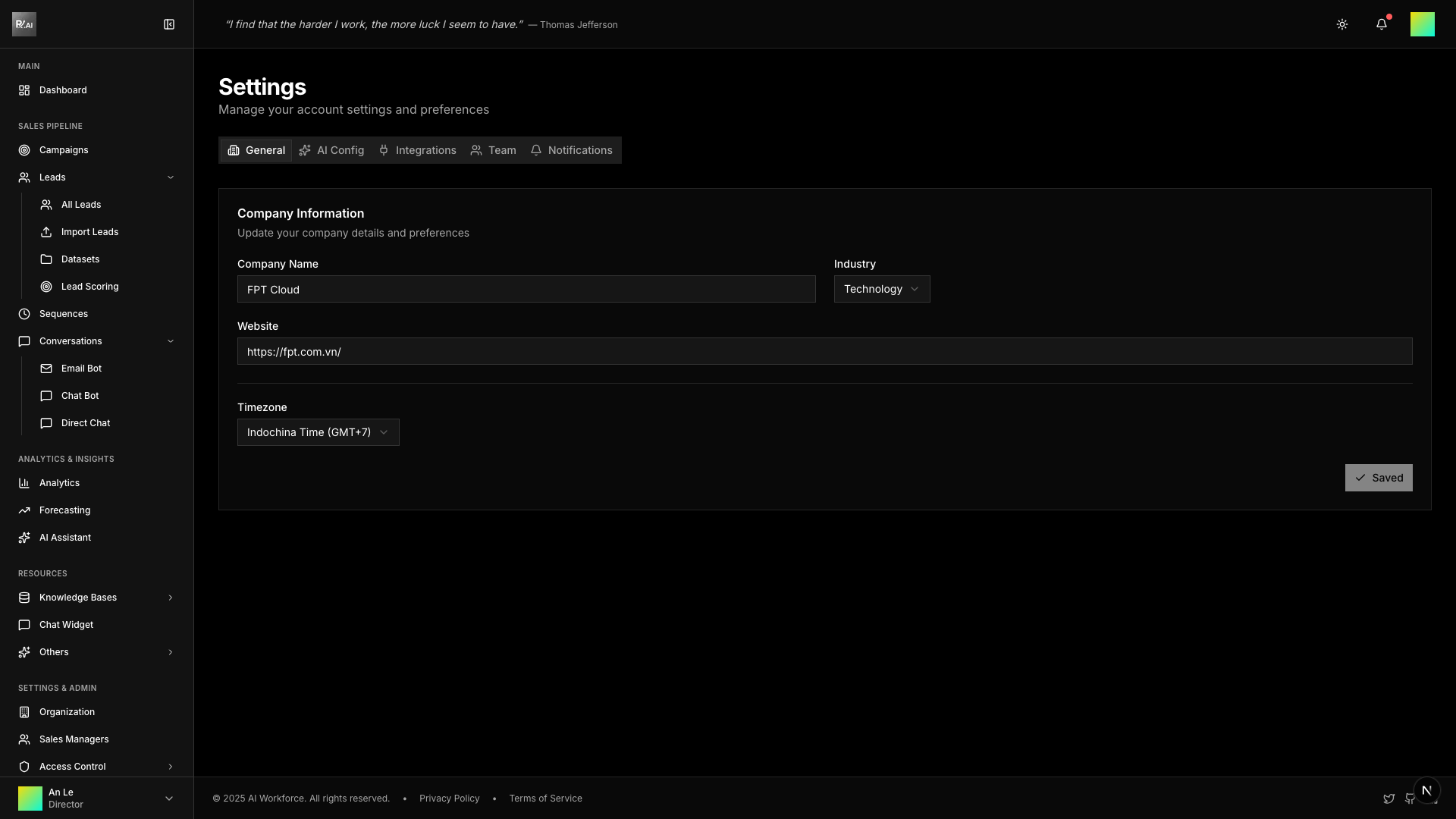
Settings Tabs
General
Basic account and display preferences.
| Setting | Description |
|---|---|
| Profile | Name, email, avatar |
| Theme | Light, Dark, or System |
| Language | Interface language |
| Timezone | For scheduling and timestamps |
Theme
Choose your preferred appearance:
| Theme | Description |
|---|---|
| Light | Bright interface |
| Dark | Reduced eye strain |
| System | Follows OS preference |
Language
Supported languages:
- English
- Vietnamese (Tiếng Việt)
AI Configuration
Configure AI behavior and defaults.
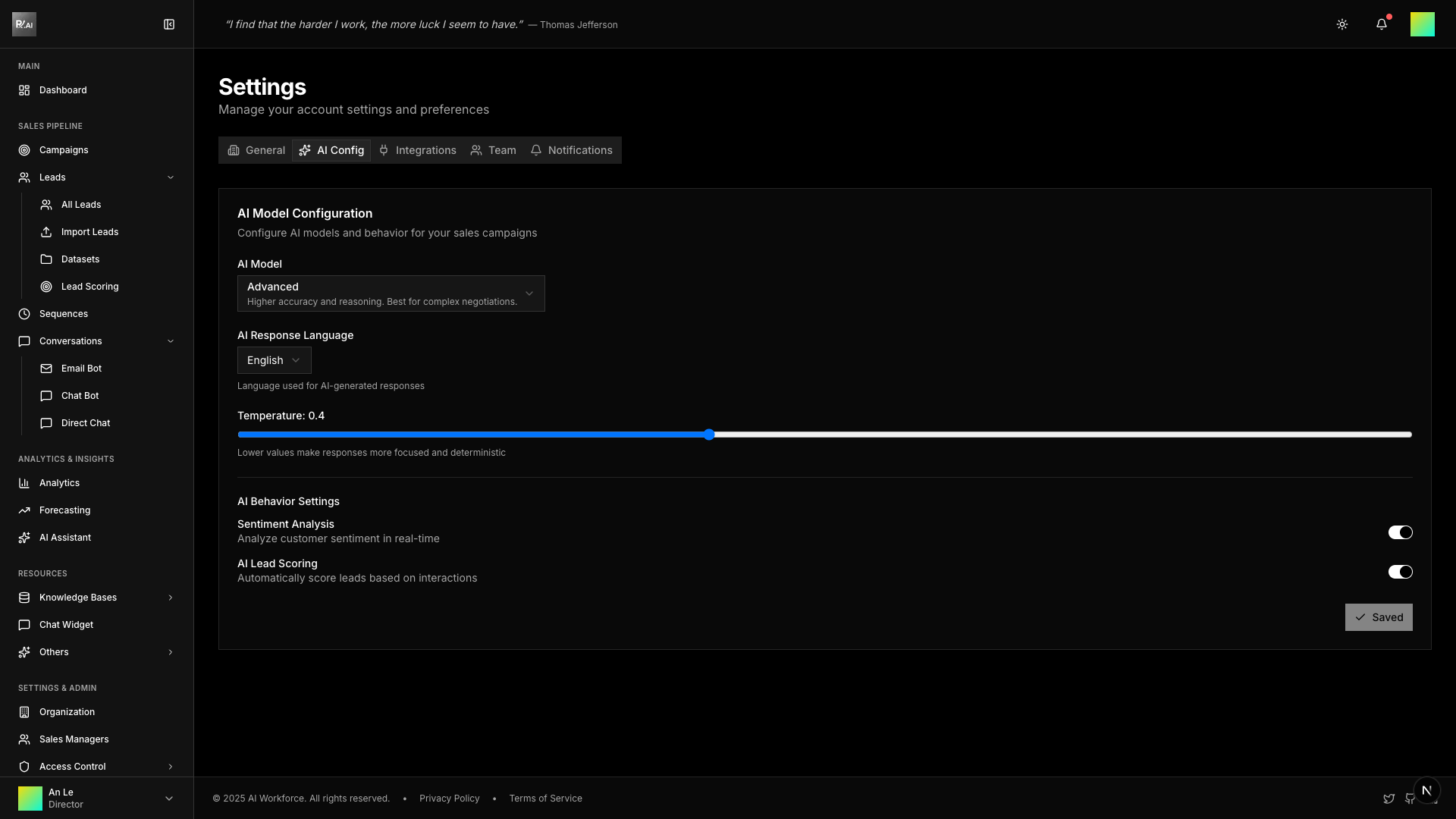
- Default AI model settings
- Response style preferences
- Guardrails and guidelines
Email Accounts
Connect and manage email accounts for campaigns.
Adding an Email Account
- Go to Settings > Email Accounts
- Click Add Account
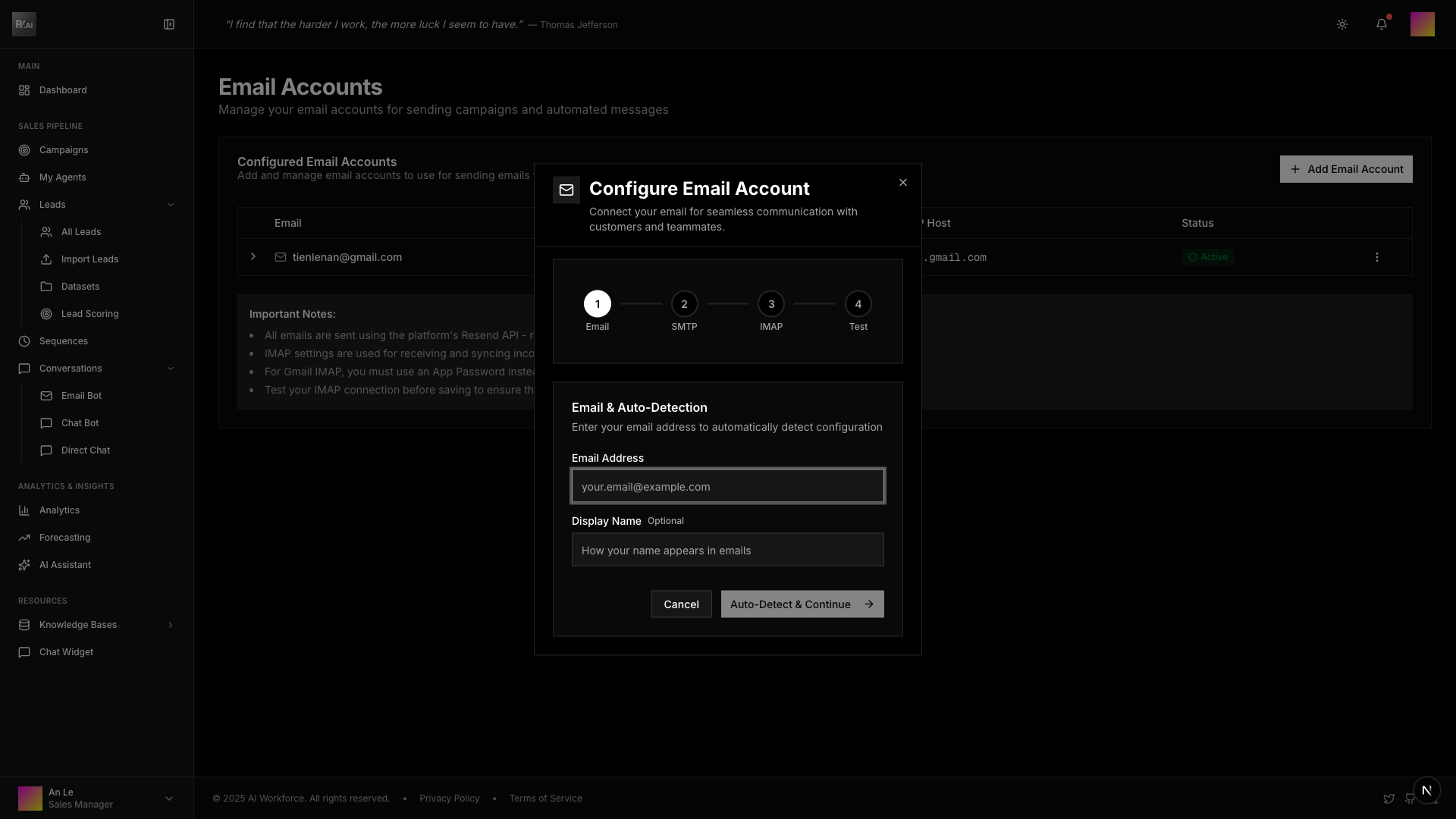
- Enter email address and display name
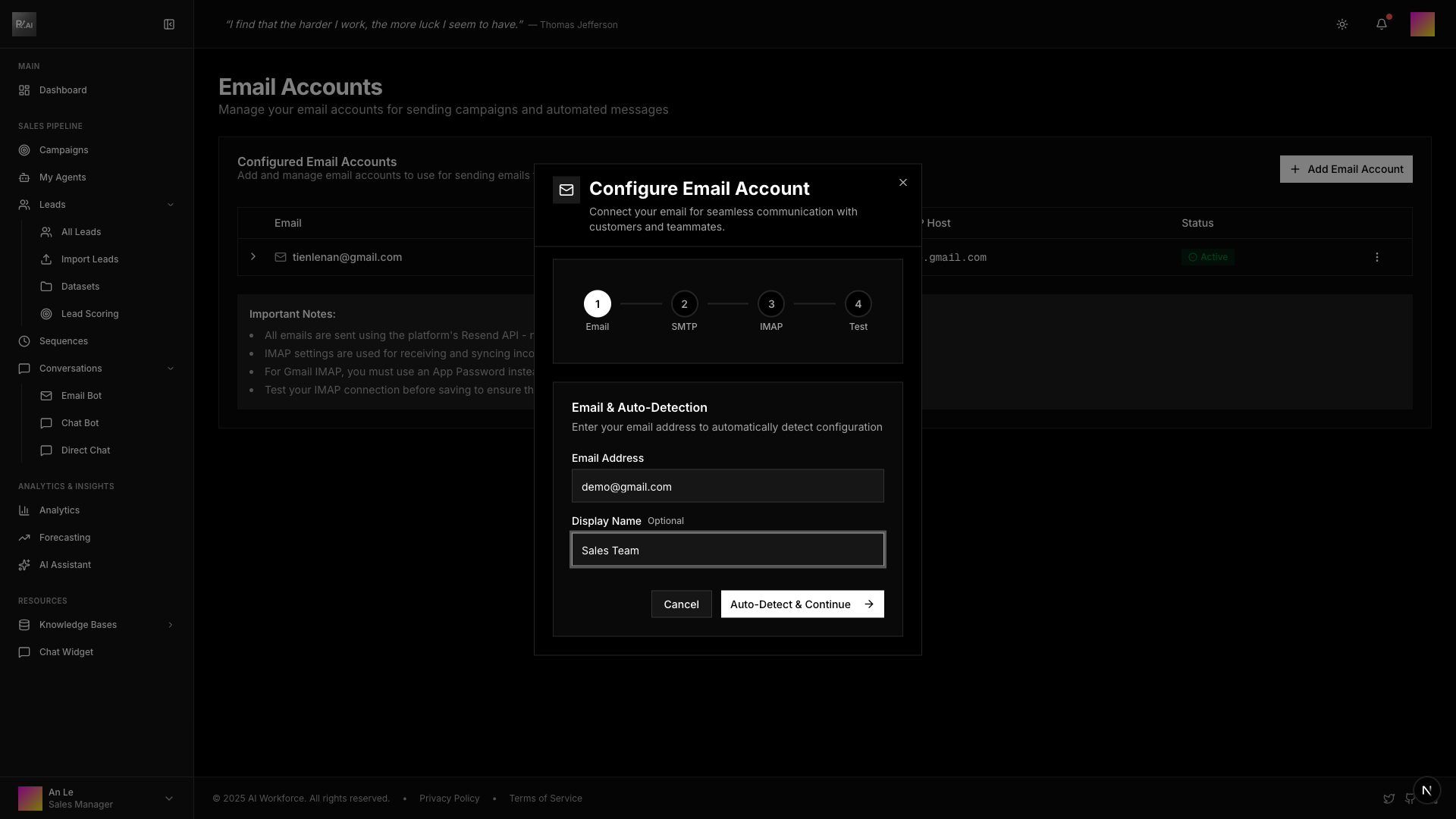
- Configure SMTP settings (auto-detected for Gmail, Outlook)
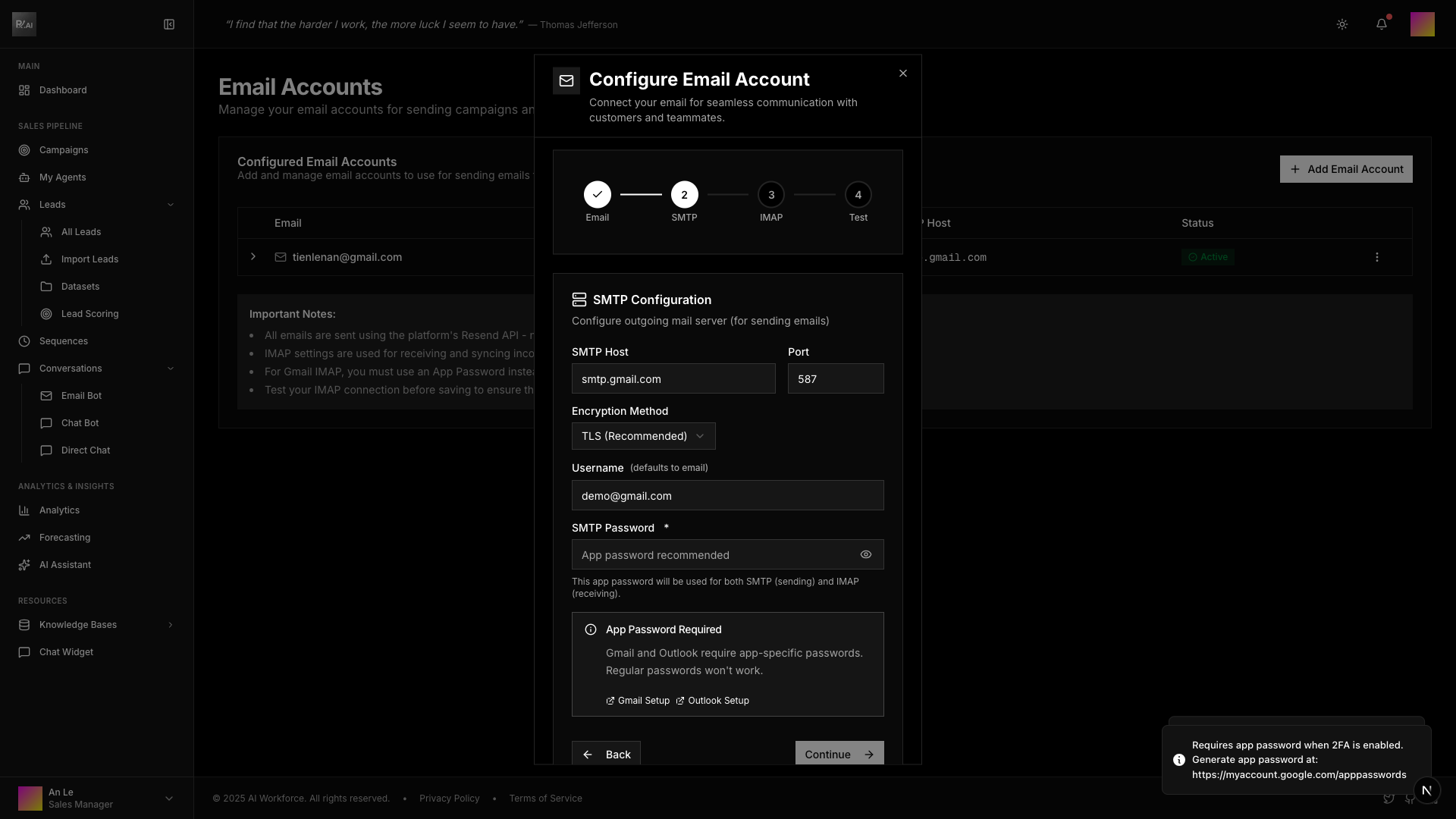
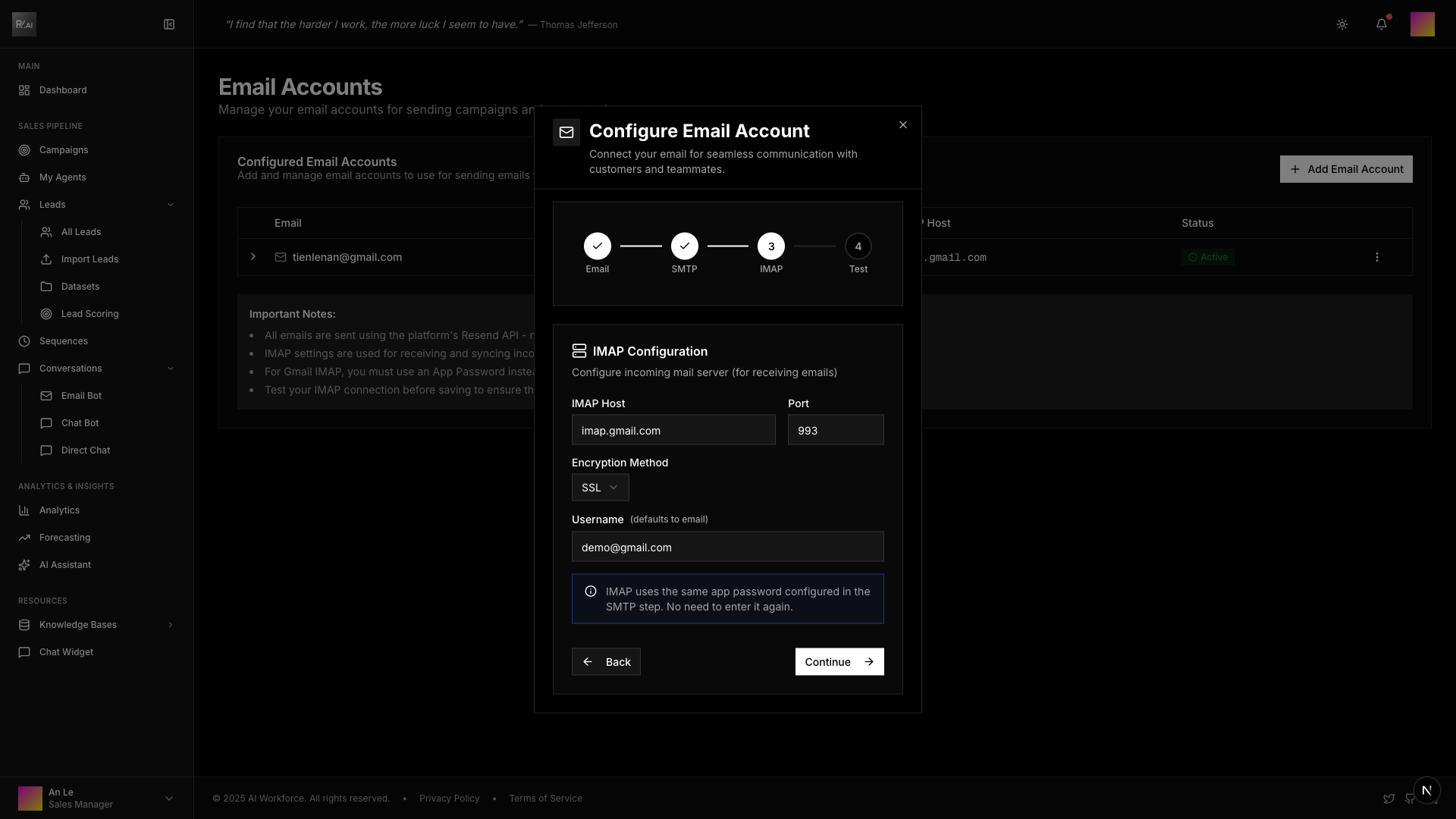
- Configure IMAP settings for receiving emails
Setting Daily Limits
Prevent hitting email provider limits:
- Go to Settings > Email Accounts
- Select account
- Set daily send limit
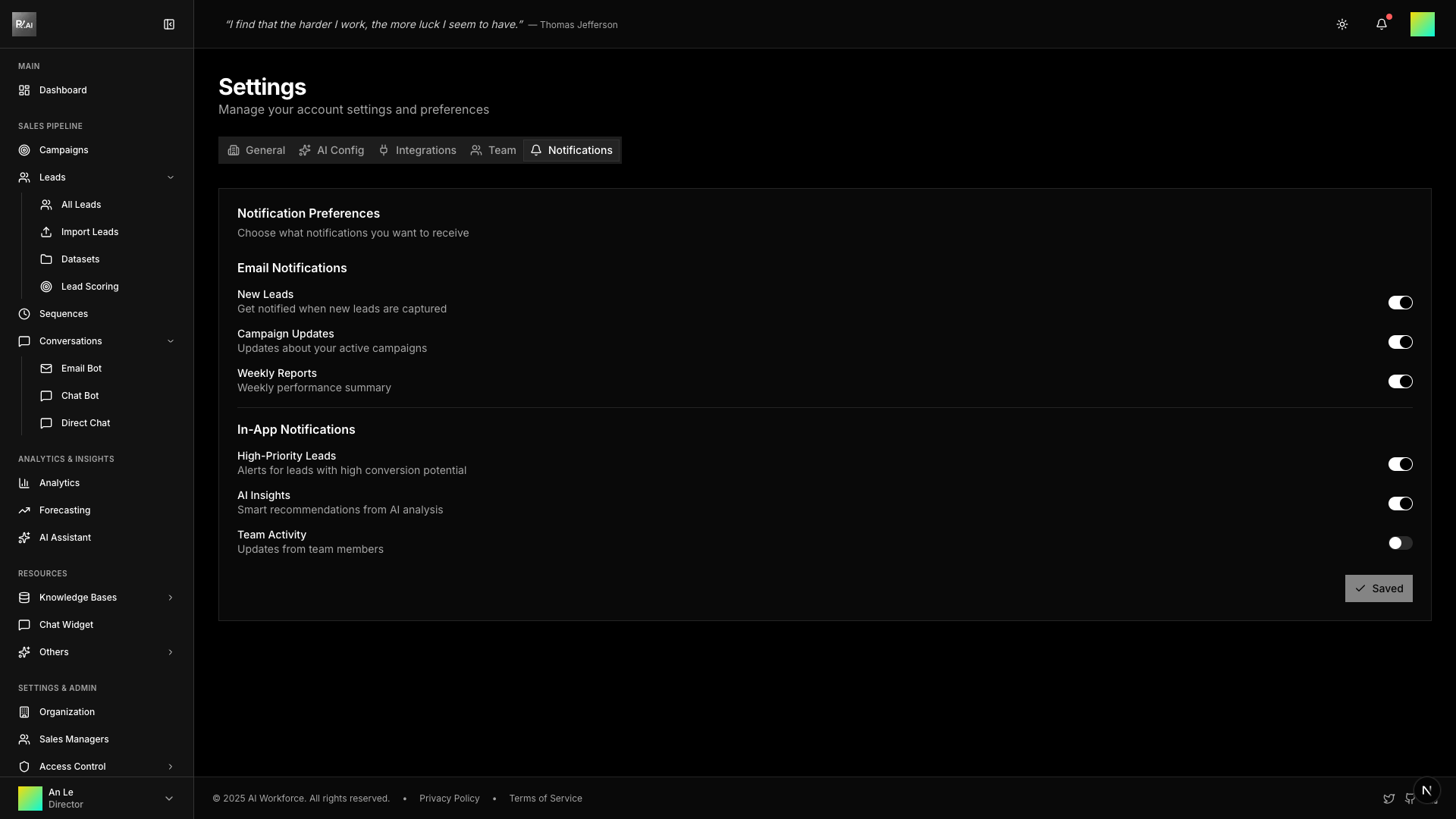
Notifications
Configure when you receive alerts:
- New replies
- Campaign status changes
- Lead activity
Related
- Authentication - Login and security
- Organization - Team management
- Roles - Access control