
Datasets
Organizing leads into reusable datasets
Datasets are saved groups of leads that you can reuse across campaigns.
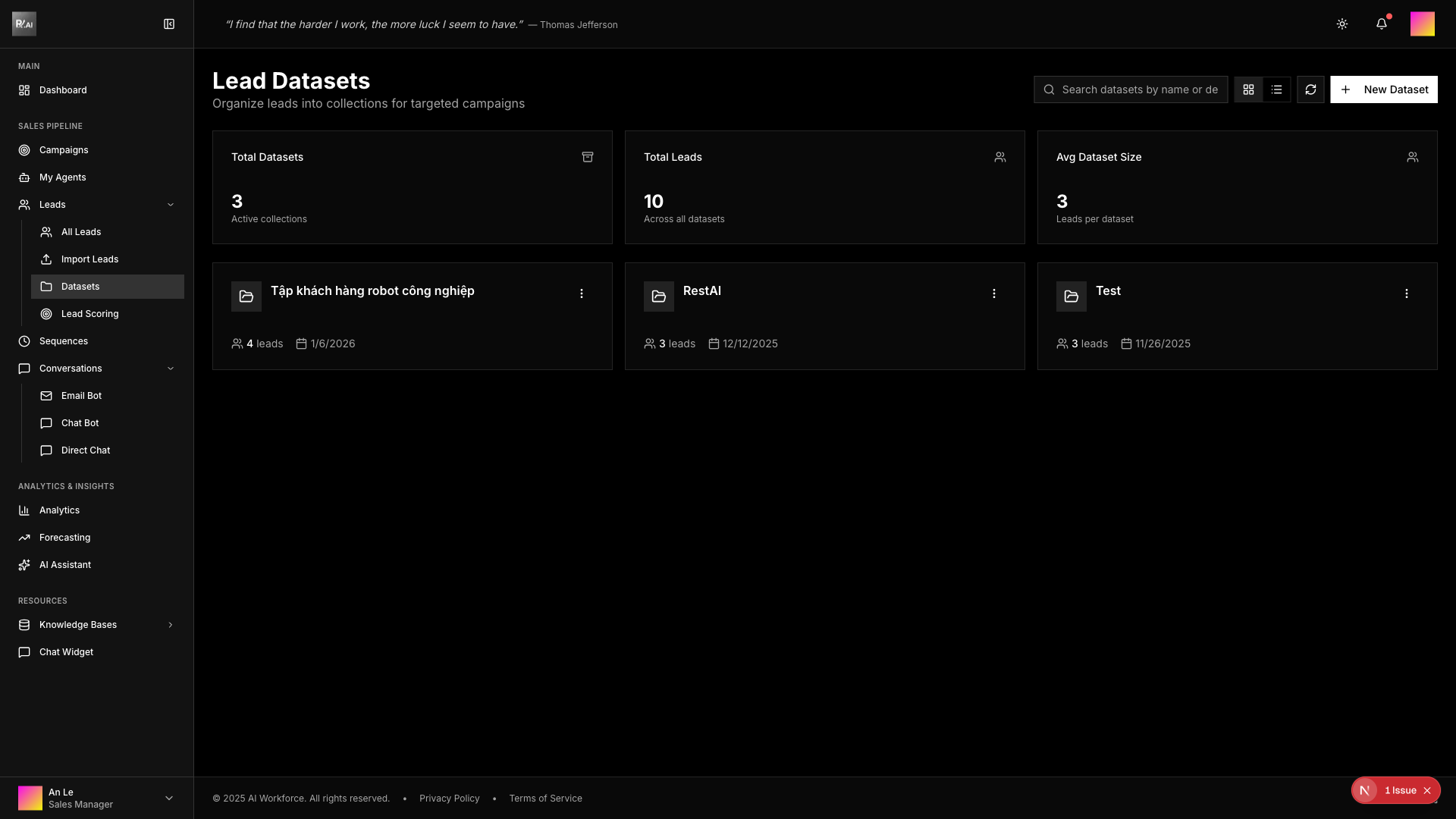
What Are Datasets?
A dataset is a collection of leads defined by filters or manual selection. Use them to:
- Target the same audience repeatedly
- Share lead segments with team members
- Track performance by segment
Creating Datasets
Click Add Dataset to create a new dataset:
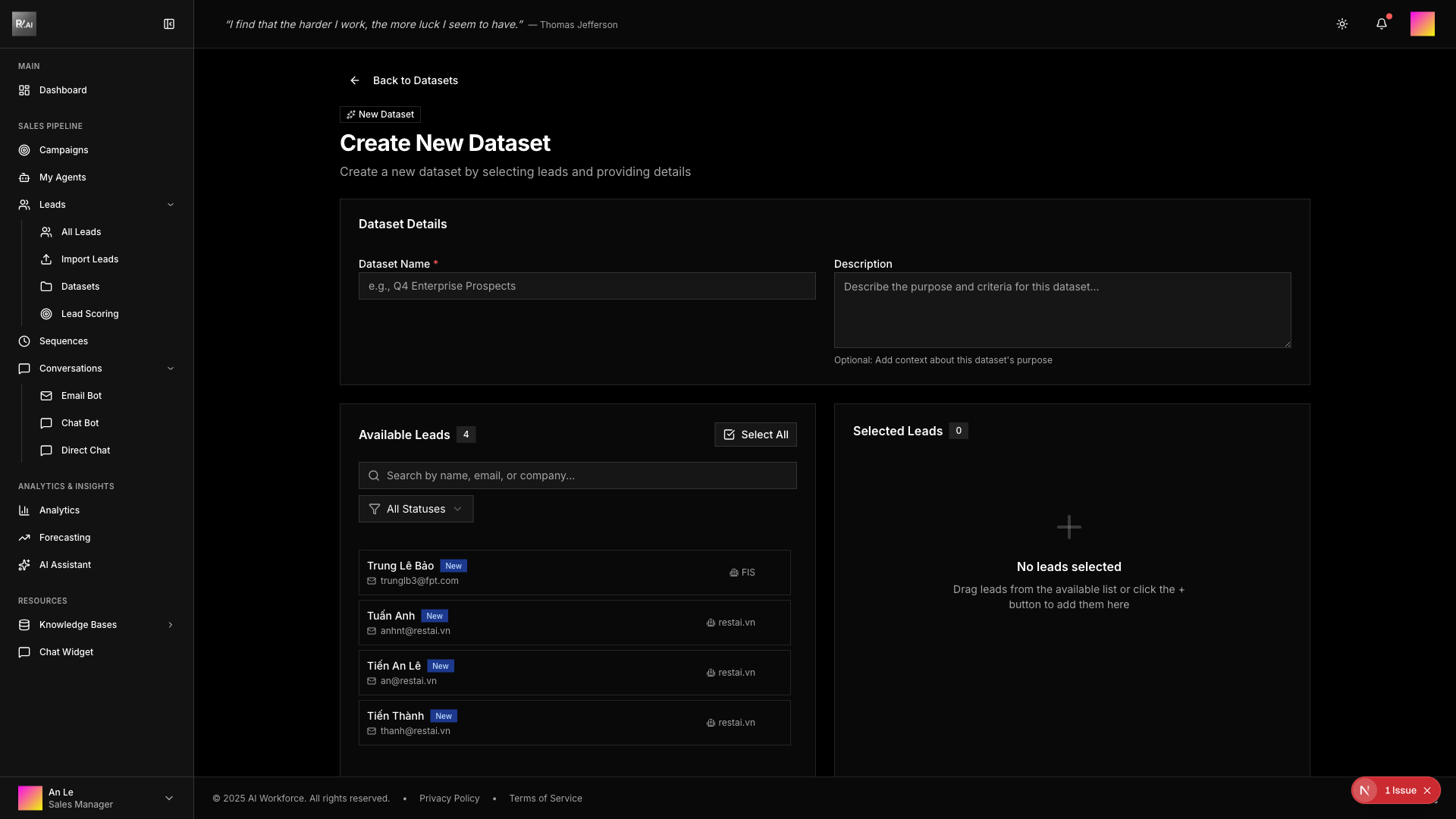
Configuration Options
Name: Give your dataset a descriptive name
Type:
- Dynamic: Automatically updates as leads match filters
- Static: Fixed list of leads
Filters: Define criteria to automatically include leads
- Industry, location, company size
- Lead score, tags, status
- Custom field values
Manual Selection: Add specific leads by selection
Editing Datasets
To edit a dataset, click the menu button on the dataset card and choose Edit:
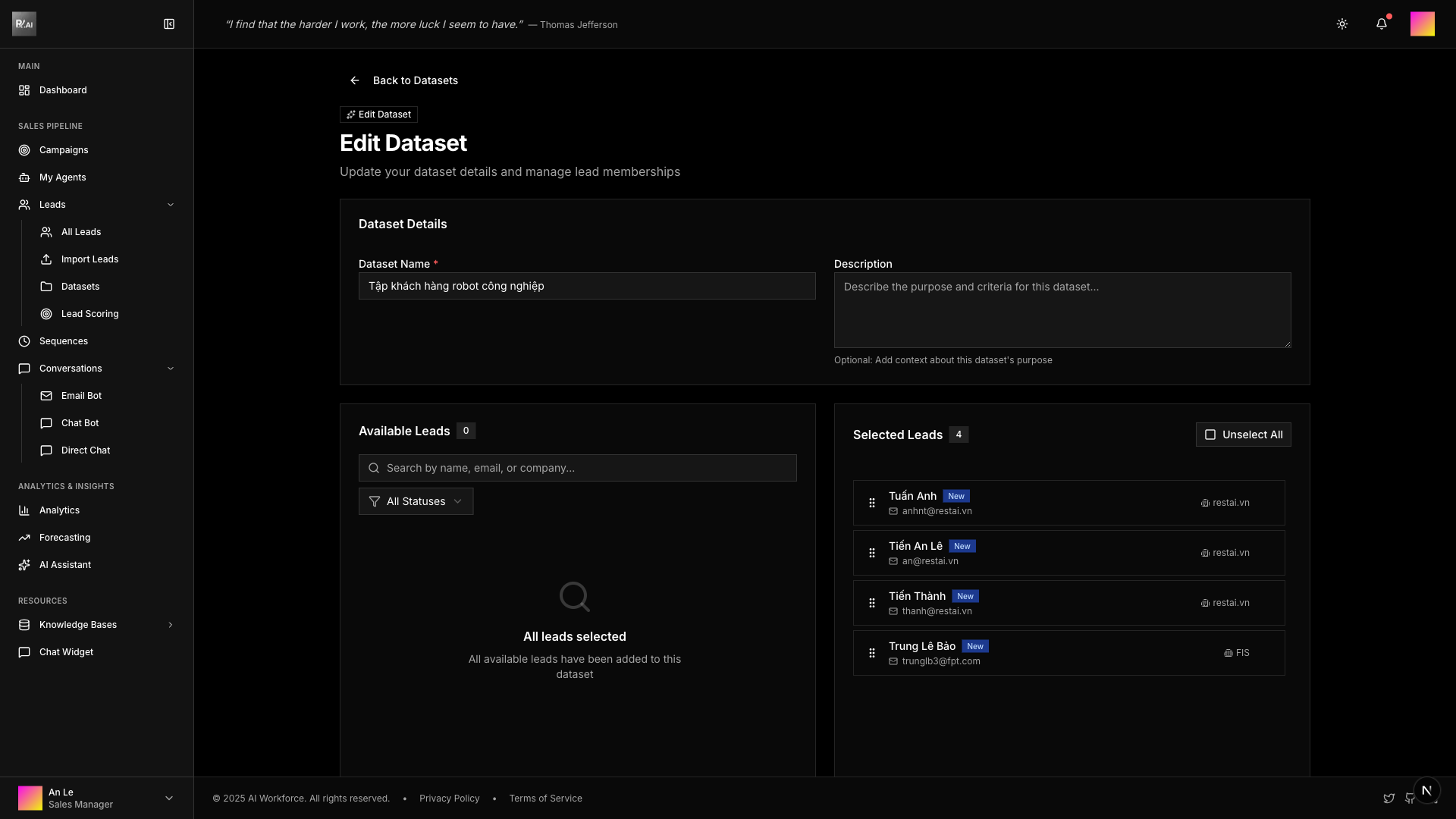
You can update:
- Dataset name and description
- Filter criteria
- Dynamic/static type
- Lead selection
Using Datasets
- Select datasets when creating campaigns
- Use in analytics for segmented reporting
- Share with team members for collaboration
- Bulk actions on dataset members
Best Practices
- Name datasets descriptively
- Use dynamic datasets for ongoing targeting
- Archive unused datasets
- Review dataset criteria periodically