
Overview
Build and manage your organization's knowledge for AI-powered campaigns
Knowledge Bases is where you manage all the knowledge that AI Agents use when writing emails for your campaigns.
Core Concepts
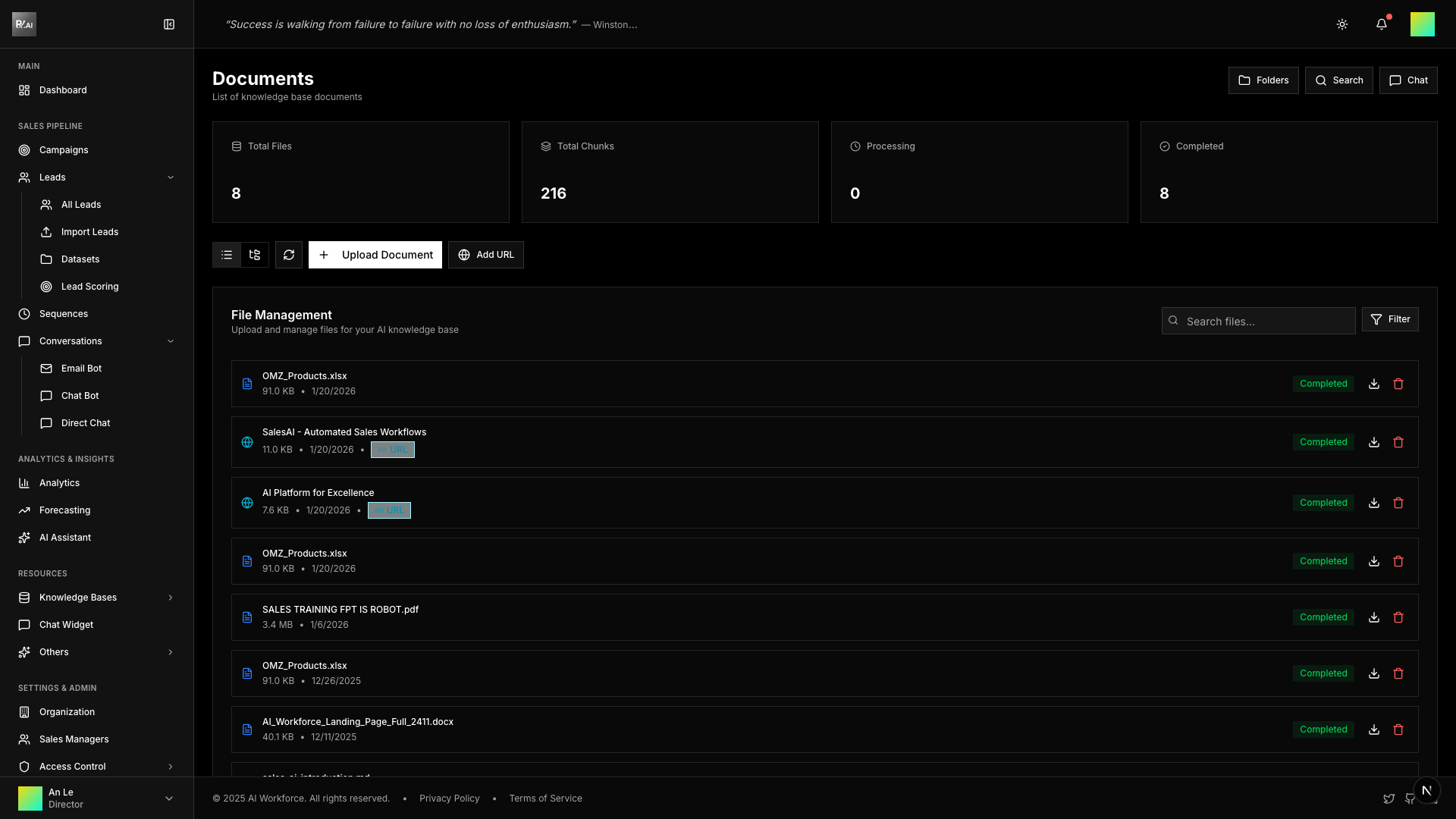
Documents
Documents are the foundation of your knowledge base. Upload files like PDFs, Word documents, spreadsheets, or add URLs to web pages. The system automatically:
- Extracts text content
- Chunks into searchable segments
- Creates vector embeddings for semantic search
- Indexes for quick retrieval
Folders
Folders provide organizational structure for your documents. Use them to categorize content by:
- Product or service line
- Department
- Content type (FAQs, pricing, specs)
- Target audience
Info
Folders are purely for organization - they don't affect how AI uses documents. Documents in any folder can be included in datasets.
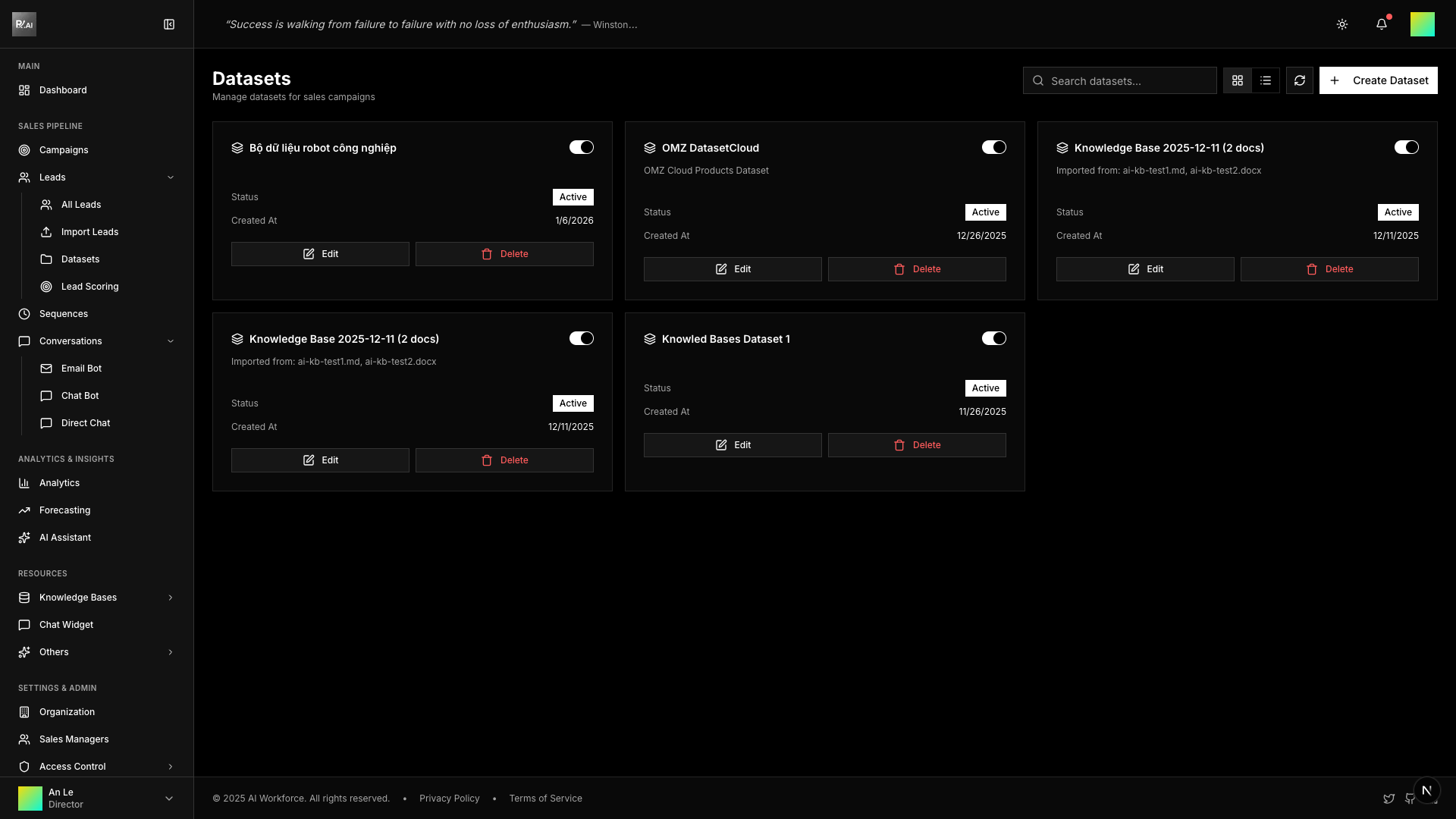
Datasets
Datasets are bundles of documents that can be assigned to campaigns. A dataset can include:
- Individual Documents - Cherry-pick specific files
- Entire Folders - Include all documents in a folder
- Tagged Documents - Include all documents with a specific tag
How It Works
- Upload Documents → Add product info, FAQs, sales materials
- Organize in Folders → Group related documents together
- Create Datasets → Bundle documents for specific use cases
- Attach to Campaigns → Link datasets to provide AI context
- AI Uses Knowledge → Agents reference documents when writing emails
Quick Links
- Managing Documents - Upload and process files
- Organizing Folders - Create folder structure
- Creating Datasets - Bundle documents for campaigns
- Semantic Search - Search across all documents
- Chat with Knowledge - Test your knowledge base